


Merry Christmas Color
4.913.00 Reviews
App Specs
- Version
- 1.0.2
- Updated On
- License
- Free
- Downloads
- 10,000+
- Developer
- LoveColoring Game
- Categories
- Board
- Platform
- Android
Screenshots
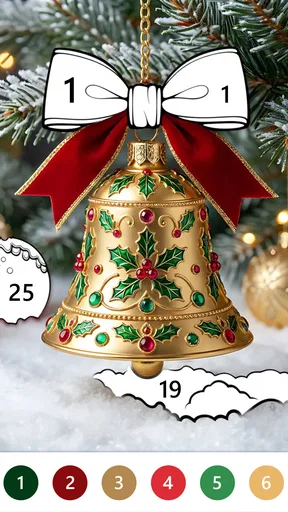
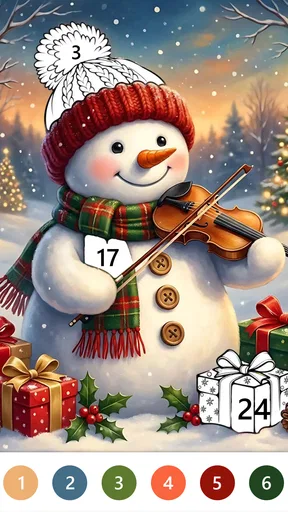
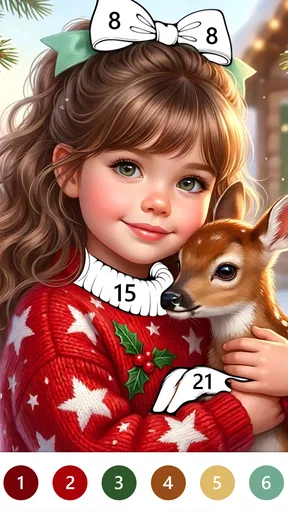
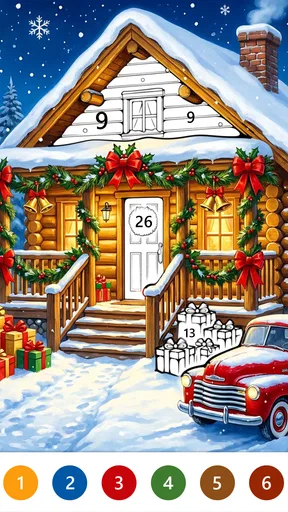
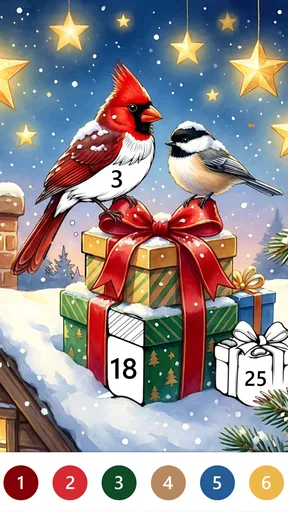
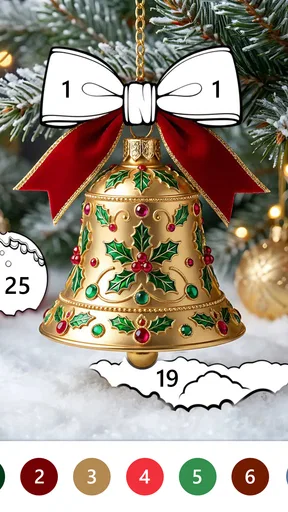
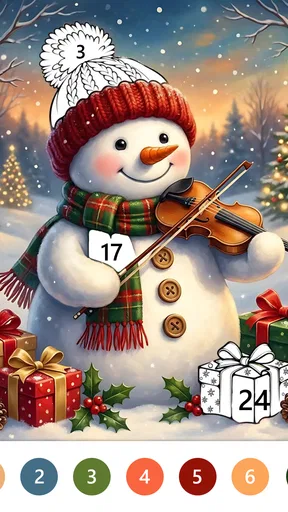

 Analysis by AppCompare
In an ordinary evening at home, I can imagine Merry Christmas Color being picked up during a quiet pause: one person fills a few numbered areas, then leaves the device ready for someone else. Its appeal is deliberately modest. This is a Christmas-themed coloring game in the board category, built around paint-by-number rather than a complicated game loop. I would consider it for calm, low-pressure downtime, not for competitive play or open-ended digital art.
How it works in a shared household
The strongest use case is an unhurried pause: a short break after dinner, a moment in a waiting room, or a quiet activity while someone else is watching television. Numbered coloring gives the player a clear next step, which is useful when there is little appetite for planning a picture from scratch. I like that distinction. Freehand art asks you to choose colors and make decisions; paint by number reduces that burden and lets you concentrate on filling the image.
That simplicity also makes the game easy to hand to another person without a long explanation. A younger player can follow the visible numbers, while an adult may enjoy the same activity as a small screen-based wind-down. In a household where several people use one device, the practical arrangement is straightforward: take turns rather than assuming the game offers separate profiles or a family-sharing system. I would not treat it as a shared account or collaborative canvas; the enjoyment comes from each person coloring at their own pace.
One useful habit is to agree on a natural stopping point before passing the device along. A nearly finished section or a completed picture makes a cleaner handoff than interrupting someone mid-task. That is a small detail, but it helps avoid the familiar shared-tablet problem of one person losing their place because another wants the screen. The game’s calm format suits this kind of turn-taking better than a timed or head-to-head board game would.
A low-effort activity, with a seasonal focus
The Christmas theme gives the experience a more specific mood than a general coloring book. That can be a plus when the household wants something seasonal, especially as a light activity around the holidays. It is also a limitation: if you are looking for a broad collection of subjects that feels equally relevant throughout the year, this particular framing may not be what you want. I would choose it for festive downtime, not as my only coloring app for every season.
It is worth setting expectations about the kind of creativity involved. Paint-by-number play offers satisfaction through completion and color placement, but it does not provide the same freedom as a blank canvas, a sketching app, or a traditional coloring book with pencils. If your idea of relaxing is making personal color choices without numeric guidance, a freeform tool will suit you better. If you prefer having a clear prompt and a manageable task, the numbered approach is likely the point.
Setting boundaries on a shared device
Because the game may be used by different people on the same phone or tablet, I would make the household boundaries clear before handing it over. Decide whether the device is available for a short turn, whether the next person may continue the current picture, and whether purchases require an adult’s approval. Those are sensible shared-device habits rather than controls I would assume the game itself provides.
Worth Reading Before You Choose

Flipboard Shows What News Apps Must Do Beyond the Feed

Switching to Android Auto Means Rethinking Your Driving Routine

Google Calendar Makes a Crowded Week Easier to Manage

Ludo King Makes the Most of the Minutes Between Plans

Baby Panda World Brings Quick Play to Modern Phones, but Its Game Library Feels Busy

ESPN’s Live Game View Makes Following Close Games Easier
The game is free to download, while optional in-app purchases are listed at $0.99 to $9.99 per item. That makes it especially sensible to keep purchasing decisions with the account holder. If a child uses a family device, an adult should check the device’s purchase settings and explain that free access does not mean every optional item is free. I would not leave a young player to make purchase choices simply because the coloring activity itself feels gentle.
For someone deciding whether to try it, the current version is 1.0.2, and the minimum operating-system requirement is 8.0. It is developed by LoveColoring Game. Those details make it easier to judge basic compatibility, but they do not replace checking that the particular device has enough room and is set up for the person who will use it. If the device is older or shared among several people, I would also close other apps and make sure the intended user can comfortably see and tap the numbered areas.
Making turns work without extra fuss
A practical way to use a coloring game in a busy home is to treat it like a quiet activity station rather than an all-evening commitment. I would keep the device in a common area, let one person color for a while, and then offer it to the next person when they are ready. This avoids turning screen time into a negotiation over an undefined session. The format is particularly suited to short breaks because a player can focus on a small portion instead of needing to organize a group or learn a long set of rules.
There is a trade-off, though: a shared screen means only one person is actively interacting at a time. If the household wants something everyone can play together, a multiplayer board game or a physical coloring book placed in the middle of the table will work better. Merry Christmas Color is more of a pass-around activity than a group game. A sibling or parent can watch and chat, but the app should not be mistaken for a shared digital canvas unless that functionality is explicitly available.
Another useful approach is to let each person choose their own stopping point rather than insisting that they finish an entire image in one sitting. That keeps the activity relaxing and makes it easier to fit into different schedules. It also helps adults avoid framing completion as a chore. The numbered structure already gives a sense of progress; there is no need to turn that progress into a household target.
Age suitability and adult judgement
The content rating is Everyone, so the game is positioned for a broad audience. That makes it an approachable option for mixed-age households, but an age label is not a substitute for parental judgement about screen use, spending, or whether a particular child enjoys this kind of task. I would introduce it as a simple coloring activity and see whether the child finds the numbered format satisfying, rather than assuming every child will prefer it to drawing or a more active game.
For adults, the appeal is similarly personal. Some people find repetitive, guided coloring calming; others quickly feel constrained by having to match numbers. I would recommend trying a short session before treating it as a reliable relaxation routine. If the format clicks, it offers an easy way to occupy a quiet interval without a steep learning curve. If it feels like checking off tiny spaces, a paper coloring book, puzzle, or freeform art app may be more rewarding.
The game has an average rating of 4.9 from around 590 ratings, and it has been installed over 10,000 times. Those figures suggest a positive reception among people who have tried it, but I would use them as context rather than a guarantee that its seasonal theme and paint-by-number style will suit everyone. There are also 13 written reviews, so I would not expect public commentary alone to answer every household-specific question. The best test is whether the guided coloring feels enjoyable on your own device.
How it compares with other coloring choices
Compared with a conventional board game, this is much quieter and less social: no one needs to learn a shared strategy or wait for a turn in a formal match. Compared with a general digital coloring book, the Christmas emphasis narrows the mood, while the numbered format makes each choice more directed. Compared with paper and pencils, the phone or tablet is convenient for carrying around and passing between people, but it also introduces screen-time and purchase-setting considerations that a paper book does not.
That makes the choice fairly clear. I would pick this game for someone who wants an uncomplicated festive activity and likes seeing a picture emerge through small, guided actions. I would skip it for someone seeking competitive board play, open-ended art tools, an all-season catalog, or a genuinely collaborative game. Those alternatives are not better in every respect; they simply answer different needs.
My household verdict
Merry Christmas Color works best as a calm, seasonal option that can be passed around when one person at a time wants something gentle to do. Its Everyone rating and familiar coloring concept make it approachable, while the guided format removes much of the decision-making that can make creative apps feel demanding. For a shared device, I would keep expectations practical: take turns, set purchase boundaries at the device-account level, and let each player stop when they have had enough.
LoveColoring Game’s board-style coloring game is free, with optional purchases available, so it is easy to consider as a casual download while still keeping an eye on spending settings. The main limitation is also its identity: this is a specific Christmas-themed paint-by-number experience, not a flexible art studio or a multiplayer board game. If that narrow, soothing role matches what your household wants, I think it is worth trying. If you need open-ended drawing, shared play at the same time, or a year-round variety of themes, I would choose a different kind of app instead.
A sensible way to try it
For a first session, I would use the game as a small test of fit rather than promising it as a new household routine. Let the person who is most curious explore the numbered coloring, then ask whether the guidance feels relaxing or restrictive. That quick check matters because two people can react very differently to the same format: one may enjoy the steady, low-decision rhythm, while another may want more control over colors and composition.
If the device is used by both adults and children, it helps to decide whose turn it is before opening the game and who handles any account-level purchase prompts. That keeps the coloring itself uncomplicated and avoids asking a child to interpret a payment screen. For an adult using a personal device, the same principle is useful in a different way: know that optional purchases exist, then decide in advance whether the free experience is enough for your needs.
Who will enjoy the trade-offs
I think the game is best suited to people who like a visible, guided task and do not need every session to feel different. It can fill a short gap without asking the player to learn strategy, draw accurately, or coordinate a group. That makes it a reasonable choice for a quiet corner of a busy day, especially for someone who enjoys festive imagery and finds small acts of completion satisfying.
I would steer away from it if the main goal is shared play in the literal sense. Passing a device between people creates a pleasant turn-taking routine, but it is not the same as everyone participating together. A physical coloring book gives a group more room to work at once, while a multiplayer board game gives people a common challenge. Likewise, someone who wants a lasting digital art workspace should choose a tool designed for drawing rather than expect a guided coloring game to provide that flexibility.
Small practical considerations
On a shared screen, visibility and patience matter more than speed. A player who has trouble distinguishing or tapping small numbered areas may find the activity less comfortable, so I would let them try it before assuming the format is suitable. Taking turns in a well-lit common space can make the screen easier to share, and agreeing that nobody has to finish a picture reduces pressure when people have different amounts of free time.
The board-game label may initially suggest a conventional game with rules, moves, or opponents, but the experience is better understood as a quiet coloring activity. That distinction helps set expectations before installing it. Its high average rating of 4.9 is encouraging, yet personal preference still decides whether the restrained, seasonal approach works for you. I would choose it for gentle festive coloring, and leave it off the shortlist if variety, creative freedom, or simultaneous group play is essential.
Pros
- Simple coloring tools make the app easy for children and beginners to use.
- Christmas-themed pages offer a festive activity during the holiday season.
- Coloring provides a relaxing break from busy holiday preparations.
- Finished pictures can be saved and shared with family or friends.
- The app can entertain kids without needing physical art supplies.
Cons
- The seasonal theme may feel less appealing after Christmas.
- A limited selection of pages could reduce replay value.
- Small screen controls may be tricky for younger children.
- Digital coloring lacks the feel of working with real art materials.
- Some features or content may require an internet connection.
FAQs for Merry Christmas Color
What is Merry Christmas Color?
Merry Christmas Color is a festive coloring app designed for users who enjoy decorating holiday-themed pictures. It typically offers Christmas-inspired artwork—such as trees, ornaments, snowmen, and seasonal characters—that you can color on a mobile device. The exact selection of images and tools may vary by version, so check the app listing and screenshots to confirm what is included before downloading.
Is Merry Christmas Color suitable for children?
The holiday coloring format can be appealing to children, but suitability depends on the app’s content, advertisements, and privacy practices. Adults should review the age rating, permissions, and store privacy information before installing it for a child. If the app displays ads or offers purchases, consider supervising play and using the device’s parental controls to manage access and spending.
Does Merry Christmas Color cost money to download or use?
The price and payment model can depend on the version and the store where you find Merry Christmas Color. It may be free to install, but free apps can include advertising, optional purchases, or features that require payment. Review the current Google Play or App Store listing for pricing details, in-app purchase information, and any limits on access to pictures or coloring tools.
Can I use Merry Christmas Color without an internet connection?
Some coloring apps let you work offline once their artwork and other resources have been downloaded, while others may need an internet connection to load content or display advertisements. Offline access for Merry Christmas Color can depend on its current version and the device. If you need to use it while traveling, test it in airplane mode beforehand and check whether your chosen pictures remain available.
What should I check before downloading Merry Christmas Color?
Before installing Merry Christmas Color, confirm that the app is available for your device and operating-system version, then check its recent reviews, update history, age rating, permissions, and privacy disclosures. Also look at screenshots and the description to understand the artwork and coloring features on offer. Download it from an official app store where possible, and review any ads or in-app purchases before use.


